


It is 3:14 AM on a Sunday. Your phone alerts you to high-severity on-call notifications.
The checkout microservice cannot communicate with the payment gateway. The order processing queue is backing up, and application logs report the classic Java SSL exception:
javax.net.ssl.SSLHandshakeException: PKIX path building failed:
sun.security.provider.certpath.SunCertPathBuilderException:
unable to find valid certification path to requested target
Meanwhile, inside your Kubernetes cluster, internal microservices communicate in cleartext over the flat pod network, leaving east-west traffic vulnerable to network snooping and pod spoofing.
In Part 1 (Keys, CSRs & Chain of Trust) and Part 2 (Handshakes, Ciphers & OpenSSL Debugging), we covered one-way TLS: the client verifying the server’s identity.
Welcome to Part 3: Production mTLS, KeyStores & Automated PKI. In this guide, we bridge the gap between theoretical cryptography and production infrastructure:
- Mutual TLS (mTLS): Why one-way TLS is insufficient for zero-trust microservices and how bidirectional cryptographic verification works over the wire.
- KeyStores vs. TrustStores: Demystifying Java
.jks, PKCS#12 (.p12), and resolvingPKIX path building failederrors methodically. - Kubernetes
cert-manager& Vault PKI: Automating ingress certificates and zero-downtime microservice rotation. - Production Gotchas & 3 AM Incident Playbook: Diagnosing JVM truststore caching, missing client SANs, and resolving certificate outages without unnecessary service restarts.
1. The Core Dilemma: Why One-Way TLS Fails in Zero-Trust
Mutual TLS (mTLS) is a cryptographic security protocol where both the client and the server authenticate each other simultaneously during the TLS handshake using X.509 digital certificates, ensuring mutual identity verification and encrypted communication in a zero-trust network.
In standard public web browsing (one-way TLS), only the server proves who it is:
Your browser asks: "Are you really bank.com?" The server presents its signed certificate. You verify its signature against your OS trust root. If valid, you establish an encrypted tunnel. But the server has no cryptographic proof of who the client is until you submit an application-level credential such as a session cookie, API key, or JWT.
In modern cloud-native environments, application-level bearer tokens introduce operational and security challenges:
- Token Exfiltration: If an attacker extracts an API key from application logs, heap dumps, or environment variables, they can impersonate the client service from any endpoint.
- The Perimeter Illusion: Inside a Kubernetes VPC or flat network, unencrypted pod-to-pod traffic can be inspected by any compromised process on the shared node or network bridge.
The Real-World Analogy: The Dual-Pass High-Security Vault
A customer walks into a jewelry store. The customer inspects the business license on the wall to verify it is an authentic licensed store. The store clerk lets the customer enter, but has no idea who the customer is until they present an ID card at checkout.
An armored courier arrives at the federal gold vault. Before the blast doors unlock, both parties inspect each other: The courier verifies the vault guard's cryptographic badge, and the vault guard cryptographically verifies the courier's badge against the central authority. If either badge fails verification, the connection is closed immediately.
💡 In Plain English: One-way TLS proves "I am talking to the genuine server." Mutual TLS (mTLS) proves "I am talking to the genuine server, AND the server verifies I am an authenticated client before transmitting application payload bytes."
2. How Mutual TLS (mTLS) Works on the Wire
In TLS 1.3 (RFC 8446 Section 4.4.2), Mutual TLS incorporates a client-authentication exchange into the encrypted handshake flight:
Simplified TLS 1.3 mTLS Handshake (Logical Message Flow)

Client (e.g., Order Pod)                                               Server (e.g., Payment Gateway)
  │                                                                                  │
  │─── 1. ClientHello (Supported Ciphers, Key Share, SNI) ──────────────────────────>│
  │                                                                                  │
  │<── 2. ServerHello + EncryptedExtensions ─────────────────────────────────────────│
  │<── 3. CertificateRequest (Acceptable CA Identities / Constraints) ── [mTLS Req] ─│
  │<── 4. Certificate (Server Public Cert + Chain) ──────────────────────────────────│
  │<── 5. CertificateVerify (Server ECDSA/RSA Signature) ────────────────────────────│
  │<── 6. Finished (Server Handshake Complete MAC) ──────────────────────────────────│
  │                                                                                  │
  │    [Client verifies Server Certificate against its Local TrustStore]             │
  │                                                                                  │
  │─── 7. Certificate (Client Public Cert + Chain) ───────────── [mTLS Identity] ────>│
  │─── 8. CertificateVerify (Client Signature over Handshake Transcript) ───────────>│
  │─── 9. Finished (Client Handshake Complete MAC) ─────────────────────────────────>│
  │                                                                                  │
  │    [Server verifies Client Certificate against its Local TrustStore]             │
  │                                                                                  │
  │◄═══════════════════════ Bidirectional Encrypted Tunnel ══════════════════════════►│
  │                        (Forward-Secret AES-GCM / ChaCha20)                       │
The 3 Core Elements of the Client-Authentication Exchange:
CertificateRequest(Server ➔ Client): The server signals that client authentication is required, optionally providing acertificate_authoritiesextension specifying acceptable CA root subjects.Certificate(Client ➔ Server): The client provides its X.509 certificate chain asserting its identity (such as a SPIFFE ID or microservice SAN).CertificateVerify(Client ➔ Server): The client computes a digital signature over the entire accumulated handshake transcript using its private key, proving possession of the corresponding private key without exposing it.
3. 5 mTLS Misconceptions That Cause Production Incidents
Fact: mTLS provides cryptographic authentication (verifying that the client identity is spiffe://cluster.local/ns/prod/sa/order-service). It does not perform authorization (evaluating whether order-service is permitted to invoke DELETE /api/v1/payments/42). Application RBAC or OPA policies remain essential.
Fact: A KeyStore holds your own secret identity (private key + public certificate). A TrustStore contains trusted certificates—typically CA root/intermediate certificates, but also specific trusted peer certificates. Placing private keys in a TrustStore or distributing a KeyStore to external clients introduces severe security risks.
Fact: Publicly trusted CAs generally cannot issue certificates for internal-only names (e.g. payment.prod.svc.cluster.local) because non-routable private names cannot satisfy public CA domain validation rules (such as CA/Browser Forum Baseline Requirements). Internal mTLS is managed via private PKI (HashiCorp Vault, cert-manager Private CA, or AWS Private CA).
Fact: Long certificate lifespans increase exposure windows for compromised keys and rely on manual renewal tracking. Modern zero-trust service meshes commonly use short-lived workload certificates (often measured in hours or days rather than years) and automatically rotate them well before expiration.
Fact: Modern CPUs perform symmetric TLS encryption very efficiently using dedicated hardware acceleration (AES-NI). In production, the performance impact of mTLS is usually more sensitive to handshake frequency, connection reuse (HTTP/2 or HTTP/3 keep-alive pooling), cryptographic algorithm choice, and proxy sidecar topology than to the encryption of established data streams itself.
4. KeyStores vs. TrustStores: The DevOps Reference Model
One of the most common causes of Java and microservice TLS configuration failures is confusing KeyStores with TrustStores:
┌────────────────────────────────────────────────────────┐     ┌────────────────────────────────────────────────────────┐
│                 KEYSTORE (My Identity)                 │     │                TRUSTSTORE (Who I Trust)                │
├────────────────────────────────────────────────────────┤     ├────────────────────────────────────────────────────────┤
│ 🔑 Private Key (service.key)        [CONFIDENTIAL]     │     │ 📜 Root CA Public Cert (root-ca.crt)         [PUBLIC]  │
│ 📜 Public Certificate (service.crt) [PUBLIC]           │     │ 📜 Intermediate CA Public Cert (inter.crt)   [PUBLIC]  │
│ 📜 Intermediate CA Bundle           [PUBLIC]           │     │ 📜 Third-Party Partner Public Certs          [PUBLIC]  │
├────────────────────────────────────────────────────────┤     ├────────────────────────────────────────────────────────┤
│ Purpose: Proving who I AM to remote servers/clients    │     │ Purpose: Deciding whether to TRUST incoming remote cert│
│ Java Property: -Djavax.net.ssl.keyStore                │     │ Java Property: -Djavax.net.ssl.trustStore              │
│ Default: No app identity KeyStore unless configured    │     │ Default: $JAVA_HOME/lib/security/cacerts               │
└────────────────────────────────────────────────────────┘     └────────────────────────────────────────────────────────┘
Demystifying PKIX path building failed
When an application encounters:
javax.net.ssl.SSLHandshakeException: PKIX path building failed:
sun.security.provider.certpath.SunCertPathBuilderException:
unable to find valid certification path to requested target
The Core Reason: Java could not construct a valid, unbroken certification path from the presented peer certificate to a trusted root in the active TrustStore.
The 6 Common Technical Causes of PKIX Failures:
- Missing Root CA in TrustStore: The root CA that signed the peer certificate is absent from
$JAVA_HOME/lib/security/cacertsor the custom-Djavax.net.ssl.trustStore. - Incomplete Intermediate CA Chain: The remote server serves only its leaf certificate and omits the intermediate CA certificate required to complete the path to the root.
- Unexpected Active TrustStore: The application process is launched with a custom
-Djavax.net.ssl.trustStorethat lacks the required CA roots. - Certificate Validity Window Issues: A certificate in the chain has expired, or client/server clock skew causes premature evaluation before
notBefore. - Basic Constraints / Key Usage Violations: An intermediate certificate in the path lacks
basicConstraints = critical, CA:TRUEor has restrictive path-length constraints. - SNI Hostname Mismatch: The server returns a fallback certificate chain because the client’s Server Name Indication (SNI) header was missing or unrecognized.
Resolving a Missing Root CA in the Java TrustStore:
[!WARNING] Lab Password Notice:
changeitis used throughout these examples solely as Java’s standard default demonstration password. Never use default or hardcoded passwords for production KeyStores or TrustStores.
# 1. Fetch and inspect the remote server's certificate chain
openssl s_client -connect api.internal.gcloudcafe.com:443 -showcerts < /dev/null

# 2. Import the root or intermediate CA certificate into the JVM TrustStore
keytool -importcert   -alias "gcloudcafe-internal-ca"   -file /path/to/internal-root-ca.crt   -keystore $JAVA_HOME/lib/security/cacerts   -storepass changeit   -noprompt

# 3. Verify that the certificate is properly registered
keytool -list -keystore $JAVA_HOME/lib/security/cacerts -storepass changeit -alias "gcloudcafe-internal-ca"
Visual & Diagnostic Tools to Verify the Complete Chain
While keytool is available on every JVM, verifying complex multi-tier certificate chains on the command line can be error-prone. Two powerful alternatives streamline chain validation:
1. KeyStore Explorer (Open-Source GUI)
KeyStore Explorer (KSE) is the open-source visual tool for managing Java KeyStores, PKCS#12 bundles, and truststores:
- Visual Certificate Hierarchy: Double-click any certificate alias or KeyStore entry to render the full X.509 chain tree from Leaf ➔ Intermediate ➔ Root CA.
- Path Validation Engine: Right-click an entry and select Validate Certificate Path to test whether your active system or JVM trust anchors can construct a complete validation path before running in production.
- SAN & Extension Inspector: Instantly displays Subject Alternative Names (SAN), Extended Key Usage (
serverAuthvsclientAuth), and Basic Constraints without decoding ASN.1 via OpenSSL.
2. CLI Verbose Chain Inspection (keytool -list -v)
To verify that an identity KeyStore contains the complete certificate chain rather than just the leaf certificate:
keytool -list -v -keystore client-keystore.jks -storepass changeit -alias "client-identity"

# Look for this critical line in the output:
# Certificate chain length: 2 (or 3 for multi-tier PKI)
# Certificate[1]: Subject: CN=client-payment-worker, OU=PaymentService...
# Certificate[2]: Subject: CN=GCloudCafe Internal Root CA...
3. JVM Runtime Handshake Diagnostics (-Djavax.net.debug)
If a Java application still fails to connect after updating the truststore, launch the JVM with SSL handshake debugging:
java -Djavax.net.debug=ssl:handshake:verbose -jar payment-service.jar
This logs every peer certificate presented on the wire, the active TrustStore path, and the exact certificate where PKIX chain construction aborted.
5. Kubernetes PKI Automation: Cert-Manager & Ingress Architecture
In Kubernetes production environments, manually creating and rotating TLS secrets is error-prone. cert-manager introduces Custom Resource Definitions (CRDs) to automate certificate issuance, renewal, and secret reconciliation:
┌────────────────────────────────────┐
│      ClusterIssuer / Issuer        │ ──── Backed by Let's Encrypt (ACME), HashiCorp Vault, or Private CA
└─────────────────┬──────────────────┘
                  │ Watches & Reconciles
                  ▼
┌────────────────────────────────────┐
│          Certificate CRD           │ ──── Declares SANs, DNS names, Secret name, duration, renewBefore
└─────────────────┬──────────────────┘
                  │ Issues & Writes
                  ▼
┌────────────────────────────────────┐
│       Kubernetes Secret (TLS)      │ ──── Maintained: tls.crt, tls.key (and optionally ca.crt)
└─────────────────┬──────────────────┘
                  │ Projected / Mounted
                  ▼
┌────────────────────────────────────┐
│     Ingress / Service Mesh Pod     │ ──── Dynamically reloads certificates without pod restart
└────────────────────────────────────┘
Production ClusterIssuer & Certificate Manifests:
[!NOTE] Public Ingress vs. Internal Workload PKI: The example below demonstrates automated public-facing Ingress TLS with Let’s Encrypt (ACME HTTP-01). For internal workload mTLS, Kubernetes environments configure private issuers—such as cert-manager’s
CAissuer, HashiCorp Vault PKI, or service mesh control planes.
apiVersion: cert-manager.io/v1
kind: ClusterIssuer
metadata:
  name: letsencrypt-production
spec:
  acme:
    server: https://acme-v02.api.letsencrypt.org/directory
    email: security@gcloudcafe.com
    privateKeySecretRef:
      name: letsencrypt-prod-account-key
    solvers:
      - http01:
          ingress:
            class: nginx
---
apiVersion: cert-manager.io/v1
kind: Certificate
metadata:
  name: gcloudcafe-production-tls
  namespace: production
spec:
  secretName: gcloudcafe-tls-secret
  issuerRef:
    name: letsencrypt-production
    kind: ClusterIssuer
  dnsNames:
    - gcloudcafe.com
    - www.gcloudcafe.com
  duration: 2160h # 90 days validity
  renewBefore: 720h # Automatically renew 30 days before expiration
6. ⚠️ 3 Critical Production Gotchas in mTLS & PKI
1. JVM In-Memory SSLContext Caching: Many enterprise Java runtimes initialize and cache SSL contexts in memory upon startup. Even if you update cacerts or /etc/ssl/certs on disk, running JVM processes may not detect new certificates until the process is restarted or the SSLContext is reloaded programmatically.
2. Missing extendedKeyUsage = clientAuth: Client certificates used for mTLS should contain the clientAuth (OID 1.3.6.1.5.5.7.3.2) extended key usage attribute. Implementations that enforce Extended Key Usage may reject a certificate containing only serverAuth when it is presented for client authentication (e.g. throwing certificate verify failed: unsupported certificate purpose).
3. Incomplete Intermediate Certificate Bundling: If your server sends only its leaf certificate without the intermediate CA certificate, clients without cached intermediate certificates will fail path validation even if they possess the valid Root CA. Always configure the full chain (fullchain.pem / tls.crt).
7. Hands-On Terminal Lab: Building an End-to-End mTLS Architecture
What You’ll Build in This Lab:
                     Private Root CA (ca.crt)
                                │
                 ┌──────────────┴──────────────┐
                 │                             │
         Server Certificate            Client Certificate
         (server.crt + key)            (client.crt + key)
                 │                             │
                 ▼                             ▼
          ┌─────────────┐               ┌─────────────┐
          │   Payment   │◄──── mTLS ───►│    Order    │
          │   Gateway   │ (Mutual Auth) │   Service   │
          └─────────────┘               └─────────────┘
                 ▲
                 │ HTTPS / cURL
                 │
          [Test Client]
By the end of this lab, you will have a working TLS 1.3 mTLS connection where the server authenticates the client and the client authenticates the server, complete with Java KeyStore (.jks / .p12) exports.
Step 1: Create a Private Root Certificate Authority (CA)
# 1. Generate Root CA Private Key (4096-bit RSA)
openssl genrsa -out ca.key 4096

# 2. Generate Self-Signed Root CA Certificate (valid for 10 years)
openssl req -x509 -new -nodes -key ca.key -sha256 -days 3650 -out ca.crt   -subj "/C=US/ST=Texas/L=Austin/O=GCloudCafe PKI/CN=GCloudCafe Internal Root CA"
Step 2: Generate Server Certificate with SAN
# 1. Generate Server Private Key
openssl genrsa -out server.key 2048

# 2. Create OpenSSL Configuration for Server SAN
cat <<EOF > server.cnf
[req]
distinguished_name = req_distinguished_name
req_extensions = v3_req
prompt = no

[req_distinguished_name]
C = US
ST = Texas
O = GCloudCafe
CN = api.internal.gcloudcafe.com

[v3_req]
keyUsage = critical, digitalSignature, keyEncipherment
extendedKeyUsage = serverAuth
subjectAltName = @alt_names

[alt_names]
DNS.1 = api.internal.gcloudcafe.com
DNS.2 = localhost
IP.1 = 127.0.0.1
EOF

# 3. Create CSR & Sign Server Certificate with Root CA
openssl req -new -key server.key -out server.csr -config server.cnf
openssl x509 -req -in server.csr -CA ca.crt -CAkey ca.key -CAcreateserial   -out server.crt -days 365 -sha256 -extfile server.cnf -extensions v3_req
Step 3: Generate Client Certificate for mTLS
# 1. Generate Client Private Key
openssl genrsa -out client.key 2048

# 2. Create OpenSSL Configuration for Client Auth
cat <<EOF > client.cnf
[req]
distinguished_name = req_distinguished_name
req_extensions = v3_req
prompt = no

[req_distinguished_name]
C = US
ST = Texas
O = GCloudCafe
OU = PaymentService
CN = client-payment-worker

[v3_req]
keyUsage = critical, digitalSignature, keyEncipherment
extendedKeyUsage = clientAuth
EOF

# 3. Create CSR & Sign Client Certificate with Root CA
openssl req -new -key client.key -out client.csr -config client.cnf
openssl x509 -req -in client.csr -CA ca.crt -CAkey ca.key -CAcreateserial   -out client.crt -days 365 -sha256 -extfile client.cnf -extensions v3_req
Step 4: Verification with Python & cURL
Let’s spin up a minimal Python mTLS server and test unauthorized vs. authorized requests:
# server.py - Minimal mTLS Server in Python
import http.server
import ssl

server_address = ('localhost', 8443)
httpd = http.server.HTTPServer(server_address, http.server.SimpleHTTPRequestHandler)

# Configure mTLS SSL Context
ctx = ssl.SSLContext(ssl.PROTOCOL_TLS_SERVER)
ctx.load_cert_chain(certfile='server.crt', keyfile='server.key')
ctx.load_verify_locations(cafile='ca.crt')
ctx.verify_mode = ssl.CERT_REQUIRED # Enforce mandatory Client Certificate verification

httpd.socket = ctx.wrap_socket(httpd.socket, server_side=True)
print("🔒 mTLS Server running on https://localhost:8443 (CERT_REQUIRED enabled)...")
httpd.serve_forever()
[!NOTE] Identity Authentication vs. Authorization: This lab enforces cryptographic authentication against the trusted CA. In production, systems should additionally evaluate authorization rules on the authenticated client identity (e.g., validating the certificate’s SAN, SPIFFE ID, or using OPA / RBAC policies).
Now test both request paths using curl:
# ❌ Test 1: Request WITHOUT Client Certificate (Terminated by server)
curl -v https://localhost:8443 --cacert ca.crt

# Expected OpenSSL 3.x Diagnostic Output:
# * TLSv1.3 (IN), TLS alert, bad certificate (554):
# * OpenSSL/3.0.2: error:0A000412:SSL routines::sslv3 alert bad certificate
# * Closing connection

# ✅ Test 2: Request WITH Client Certificate & Key (Authenticated Successfully)
curl -v https://localhost:8443   --cacert ca.crt   --cert client.crt   --key client.key

# Expected Output:
# < HTTP/1.0 200 OK
# < Server: SimpleHTTP/0.6 Python/3.10
Step 5: Convert PEM to Java KeyStore (.p12 / .jks)
# 1. Package Client Private Key & Certificate into PKCS#12 (.p12)
openssl pkcs12 -export   -in client.crt   -inkey client.key   -out client-keystore.p12   -name "client-identity"   -CAfile ca.crt   -caname "root-ca"   -password pass:changeit

# 2. Convert to Java KeyStore (JKS) format
keytool -importkeystore   -deststorepass changeit   -destkeypass changeit   -destkeystore client-keystore.jks   -srckeystore client-keystore.p12   -srcstoretype PKCS12   -srcstorepass changeit   -alias "client-identity"
8. The 3 AM Incident Playbook: Production Certificate Outage
When a production certificate expires or a trust chain breaks, follow this 4-step emergency triage sequence:
[PagerDuty Alert] ➔ 1. Fast Expiration Probe ➔ 2. Force CRD Renewal ➔ 3. Zero-Downtime Reload ➔ 4. Root-Cause Post-Mortem
Step 1: Identify the Failing Certificate Instantly
# Probe remote endpoint expiration date, issuer, and subject in 1 second
echo | openssl s_client -servername gcloudcafe.com -connect gcloudcafe.com:443 2>/dev/null |   openssl x509 -noout -dates -subject -issuer
Step 2: Emergency Kubernetes Secret & Cert-Manager Patching
If cert-manager is failing an automated ACME challenge:
# Check status of certificate orders and challenges
kubectl get certificate,certificaterequest,order,challenge -A

# Trigger immediate re-issuance via CLI plugin (cmctl)
kubectl cert-manager renew gcloudcafe-production-tls -n production
# Or trigger declaratively via annotation (version-agnostic):
# kubectl annotate certificate gcloudcafe-production-tls -n production cert-manager.io/reissue-at="$(date -u +"%Y-%m-%dT%H:%M:%SZ")" --overwrite
Step 3: Zero-Downtime Ingress & Proxy Reconciliation
Many modern Kubernetes ingress controllers (e.g. ingress-nginx, Envoy, Traefik) can watch Secret changes and dynamically reload TLS certificates without requiring a controller pod restart. Exact connection behavior and zero-interruption guarantees depend on the controller implementation and configuration.
[!TIP] Operational Best Practice: Rely on your ingress controller’s native secret-watching reconciliation loop rather than restarting controller pods. Manual configuration reload signals (such as
nginx -s reload) or rolling pod restarts should only be used as emergency fallbacks if controller secret synchronization is demonstrably stalled.
9. Summary: The Complete TLS & mTLS Architecture Matrix
| Layer | Component | Who Holds It? | Confidentiality | Primary Role | Common Failure Symptom |
|---|---|---|---|---|---|
| Identity | Private Key (.key) | Service Owner | 🔒 Strictly Secret | Signs handshake authentication data; proves possession of the service identity key | Key/cert mismatch error (error:0B080074), signature validation failure |
| Proof | Public Certificate (.crt) | Public / Server / Client | 🌐 Public | Binds public key to DNS/SAN identity via CA signature | Hostname/SAN mismatch (x509: certificate is valid for X, not Y) |
| Intermediate CA | Intermediate Cert (inter.crt) | Server / Ingress | 🌐 Public Chain | Bridges trust between leaf cert and Root CA | PKIX path building failed: unable to find valid certification path |
| Trust Root | Root CA (ca.crt) | Client / TrustStore | 🌐 Public Roots | Validates cryptographic signatures across the trust chain | Unknown CA / certificate signed by unknown authority |
| KeyStore | .jks / .p12 | Server & Client | 🔒 Confidential (Contains Key) | “My Identity” (Private Key + Public Certificate) | Missing alias, bad password (UnrecoverableKeyException) |
| TrustStore | cacerts / truststore.jks | Client / Ingress | 🌐 Public Roots | “Who I Trust” (Trusted CA Public Certificates) | Client handshake failure, untrusted root rejection |
| mTLS | Dual X.509 Certificates | Both Client & Server | 🔒 Mutual Auth | Enforces bidirectional zero-trust identity verification | Handshake terminated (alert bad certificate, unsupported certificate purpose) |
📚 Authoritative Standards & References
- RFC 8446: The Transport Layer Security (TLS) Protocol Version 1.3.
- RFC 5280: Internet X.509 Public Key Infrastructure Certificate and CRL Profile.
- NIST SP 800-207: Zero Trust Architecture.
- NIST SP 800-52 Rev. 2: Guidelines for the Selection, Configuration, and Use of TLS Implementations.
- cert-manager Documentation: Cloud-Native Certificate Management for Kubernetes.
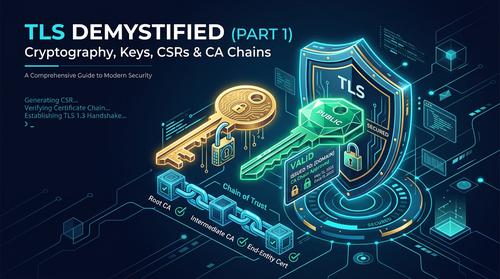
- Gcloudcafe TLS Series (Part 1): Keys, CSRs & Chain of Trust Explained.
- Gcloudcafe TLS Series (Part 2): The Modern Handshake (TLS 1.2 vs 1.3), Ciphers & Troubleshooting.


Community Discussion 0